Photo Compliance Checker
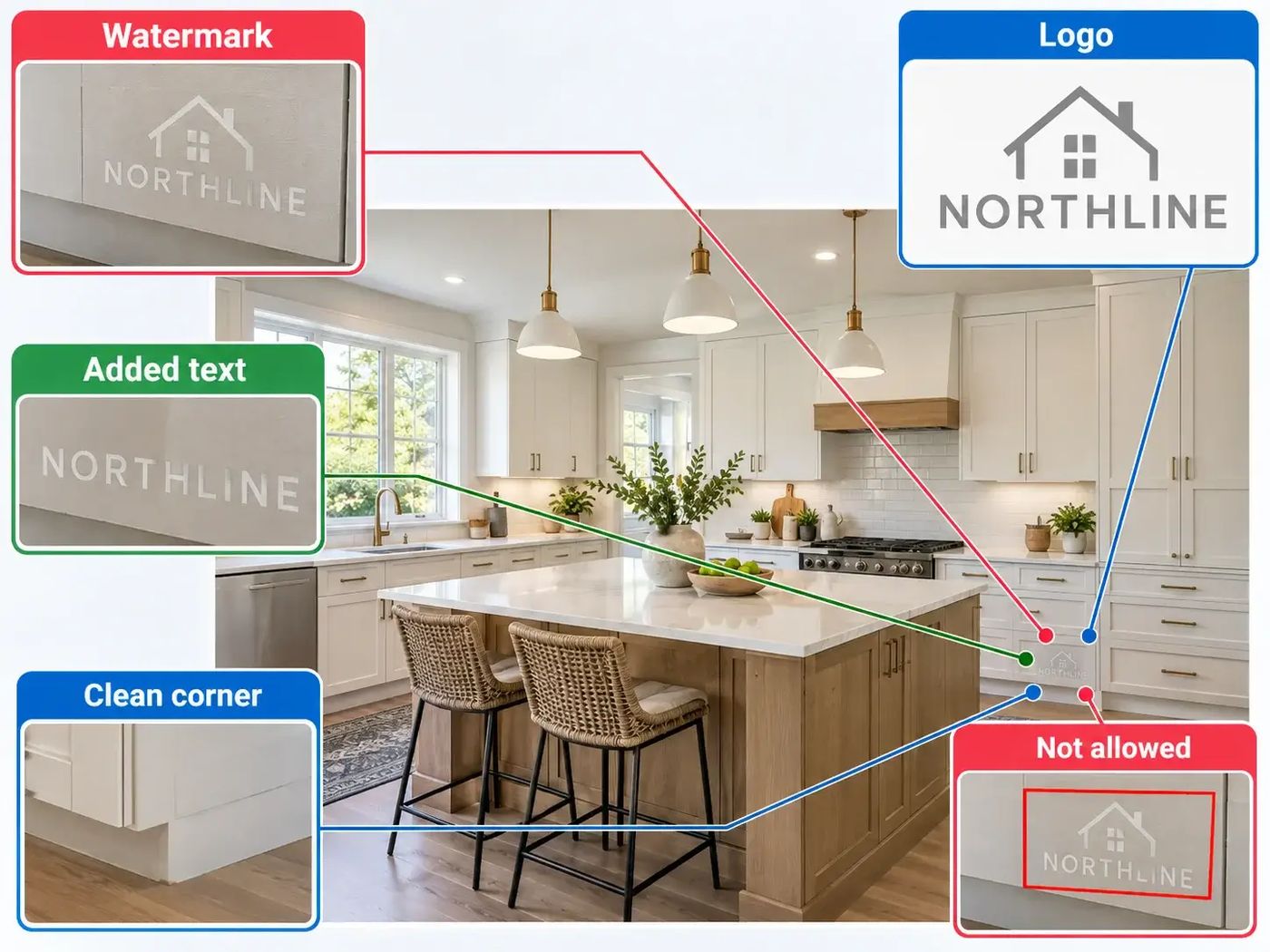
A listing photo is supposed to show the house. Photo Compliance Checker looks for the extras that many listing sites do not allow: a watermark, a phone number, an agent license number, a for-sale sign, a face, or a picture that was drawn instead of photographed. It can flag the spot, or blur it. These pictures are samples.
Photo Compliance Checker ↗- Customer: A listing site, or a team that checks photos before they go live.
- Problem: A person cannot open every photo, and two reviewers do not always use the same rule.
- Solution: The checker flags a watermark, a phone number, a license number, a for-sale sign, a face, or a room that was drawn in. It can also blur the spot.
- Outcome: The same rule runs on every photo. The pictures on this page are samples.
- Strategic win: The problem spot is marked before the listing spreads.
The photo broke a rule. Nobody had time to see it.
Listing sites, broker sites, and appraisal packets all have photo rules. Checking them by hand is slow, and two people will not always draw the line in the same place.
Why it was hard
Thousands of new listings show up in a day. A person cannot open every photo. One reviewer may allow a logo that the next reviewer blocks. By the time someone notices, the picture may already have been seen.
- A watermark, a phone number, and a for-sale sign are easy for a person to miss in a pile of photos
- A face, a religious object, or a political sign can break a privacy or a content rule
- A pretty room that was drawn on a computer is not the same as a photo of the real room
- The same photo uploaded twice makes the listing look longer than it is
What you get
- ✓Watermarks, logos, and other words someone pasted onto the picture
- ✓Phone numbers and an agent license number
- ✓A for-sale sign in the yard
- ✓People and faces
- ✓Religious or political objects
- ✓A render or virtual staging, meaning the room was drawn instead of photographed
- ✓The same photo, or a near copy, posted again
- ✓A blur over the problem spot when the team wants the photo kept
Name the problem
The check looks for a watermark or logo, a phone number, an agent license number, a for-sale sign, a face, a religious or political object, and a room that was drawn instead of photographed. A repeated photo is flagged too. The team sees the kind of problem and where it sits in the picture.
Open Photo Compliance Checker →Flag it, or blur it
Some teams want a warning so a person can decide. Some want the problem spot covered right away, so the rest of the photo can stay. A blur keeps the room and hides the number, the face, or the logo.
See the sample →Tell the agent while it is fresh
A note that goes out when the photo is uploaded is easier to learn from than a warning days later. The same rule runs on every photo and on short videos, so the answer does not depend on who was working that hour.
Property photo work →One rule for every photo. The problem spot is marked before the listing spreads.
A watermark, a sale sign, a phone number, a license number, or a face should not have to wait for a person to scroll the gallery. The check can point at it, or cover it.
The comparison figures on the public photo compliance page belong to that page, not to this sample. They include watching photos as they arrive, up to 5% of MLS listings with a violation, a 20% drop in violations over time, and one MLS cutting violations by 49%. This page does not run a live model yet.
Open Photo Compliance Checker ↗