An AI helper inside your browser.
AI browser extensions
In simple words: We build a Chrome extension that uses AI to summarise, rewrite or save information from the page you are looking at.
AI-powered Chrome extensions with Claude or OpenAI that summarise, rewrite, extract or assist on any page, with secure keys and an optional database backend.
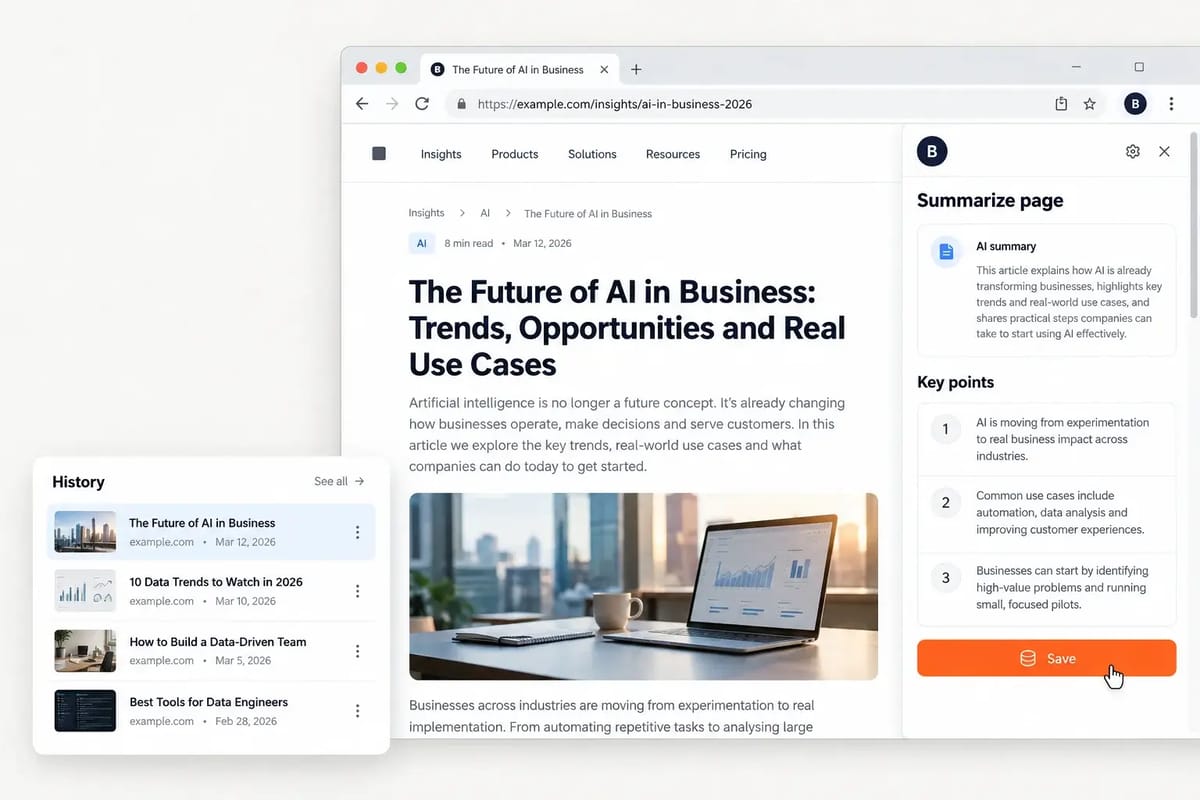
For example: A research team copied snippets from dozens of pages into notes every day. Research notes build themselves while the team browses. See how we did it ↓
The problem
Why teams come to us
You need an AI helper inside the browser, but simple popups leak API keys and lose everything when closed.
What you get
- Chrome Manifest V3 extension (popup, side panel, content scripts)
- AI features with Claude, OpenAI or similar APIs
- Secure API key handling through your backend
- Optional database for history, users or saved outputs
- Source code and install notes
- Chrome Web Store submission support
Benefits
What changes for your team
AI where your team already works
No exposed keys
Saved history and settings
Brandable for your product
How it works
From first call to working result
- 1
Discovery call
A free 30-minute call to map your goal, sources, volume and where the result should land. NDA on request.
- 2
Sample first
We build a small working sample so you can check fields, format and quality before the full build.
- 3
Build & test
We build the full solution, test it on real data and edge cases, and share progress as we go.
- 4
Deliver & support
You get the result, the source code and short handover notes, plus fixes during the support window.
Example project
A research side panel
- The challenge
- A research team copied snippets from dozens of pages into notes every day.
- What we built
- We built a side-panel extension that summarises the current page with AI and saves key facts to a shared database.
- The outcome
- Research notes build themselves while the team browses.
An illustrative example of a typical AI browser extensions engagement.

Use cases
Where this helps
Tech stack
Tools we use
FAQ
Questions about AI browser extensions
Will it be approved on the Chrome Web Store?
We follow the policies and help with submission, but approval is always Google's decision.
Where are API keys stored?
On your backend, never inside the extension, so they cannot be extracted.
Can it work with other browsers?
Most Chromium browsers work; Firefox needs small changes we can add.
Related services
Often combined with
Ready to talk about AI browser extensions?
Send a short brief or book a call. A senior engineer replies within a few hours.