Spreadsheets that update themselves.
Google Sheets automation
In simple words: We add automations to your Google Sheets so they pull in new data, format it, send emails and build summaries without anyone copying rows.
Google Sheets automation with Apps Script, clean formulas and triggers, connected to Forms, Gmail, Drive and APIs so your sheet runs itself.
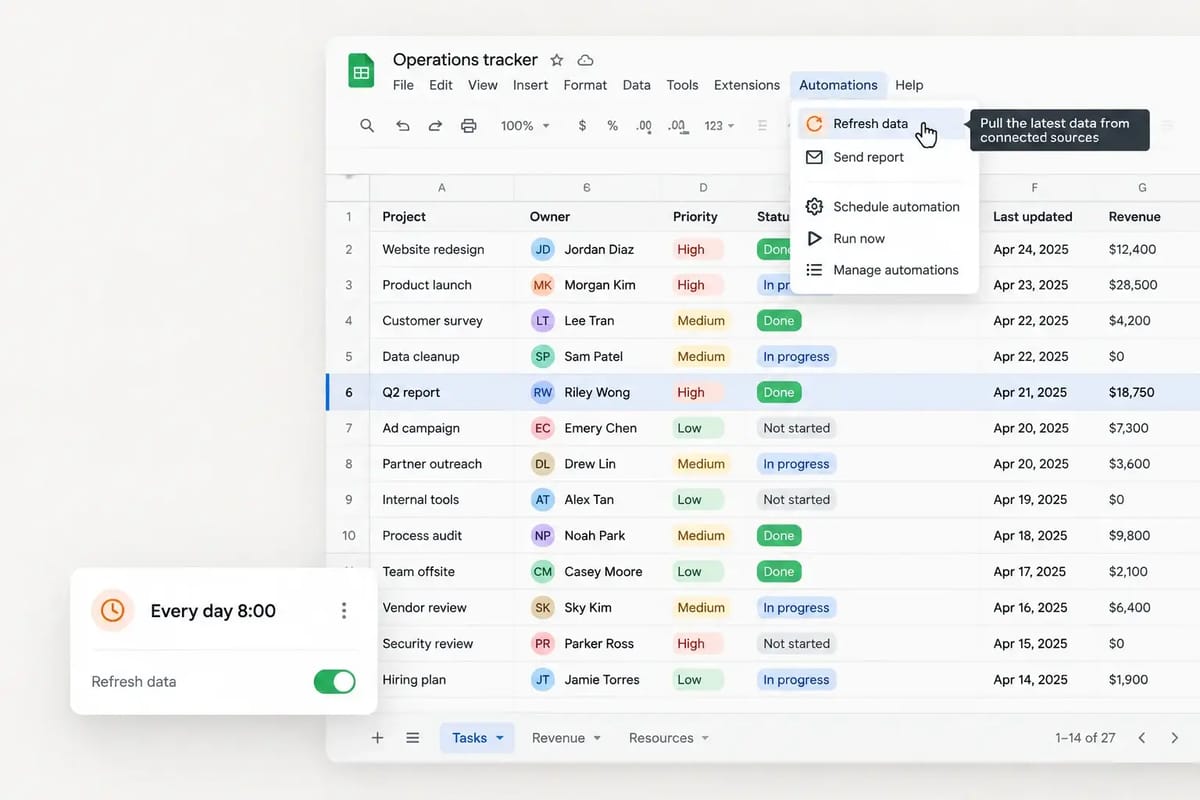
For example: A small agency kept a client tracker updated by hand from form submissions and emails. The tracker is always current and nobody copies rows anymore. See how we did it ↓
The problem
Why teams come to us
You are copying rows by hand, fixing broken formulas and waiting on slow sheet workflows that only one person understands.
What you get
- Custom Apps Script automations
- Formulas for lookups, reports and clean data flows
- Triggers for forms, schedules and email alerts
- Menus or buttons so your team can run jobs without code
- API, webhook and web scraping feeds into your sheet
- Export automation to Excel, CSV or PDF
Benefits
What changes for your team
No new software to learn
Your team keeps working in Sheets
Automated reports and alerts
Easy to maintain later
How it works
From first call to working result
- 1
Discovery call
A free 30-minute call to map your goal, sources, volume and where the result should land. NDA on request.
- 2
Sample first
We build a small working sample so you can check fields, format and quality before the full build.
- 3
Build & test
We build the full solution, test it on real data and edge cases, and share progress as we go.
- 4
Deliver & support
You get the result, the source code and short handover notes, plus fixes during the support window.
Example project
A sheet that updates itself
- The challenge
- A small agency kept a client tracker updated by hand from form submissions and emails.
- What we built
- We added Apps Script triggers that pull form responses, format them, email the right teammate and build a weekly summary tab.
- The outcome
- The tracker is always current and nobody copies rows anymore.
An illustrative example of a typical google Sheets automation engagement.

Use cases
Where this helps
Tech stack
Tools we use
FAQ
Questions about google Sheets automation
Do I need to give you access to my sheet?
Yes, edit access to the sheet (or a copy) so we can build and test the automation.
Can the sheet pull data from websites or APIs?
Yes. We can connect APIs or feed scraped data straight into your sheet on a schedule.
Will my team be able to use it?
Yes. We add simple menus or buttons and short notes so anyone can run it.
Related services
Often combined with
Ready to talk about google Sheets automation?
Send a short brief or book a call. A senior engineer replies within a few hours.