On this page
Introduction
Stop Googling "how to read a file in Python" or "python list comprehension syntax."
This is the Ultimate Python Cheatsheet. We've compiled over 50+ essential snippets (expanding to 100+ variations) covering everything from basic syntax to advanced automation and data science. Bookmark this page—it's the only reference you'll ever need.
1. Core Basics & Tricks
The foundation of minimal and readable Python code.
One-Liners
# 1. Swap variables
a, b = b, a

# 2. Ternary Operator
status = "Adult" if age >= 18 else "Minor"

# 3. Multiple assignment
x, y, z = 10, 20, 30

# 4. Chain comparison
if 10 < x < 20: print("In range")

# 5. Reverse a string
reversed_s = s[::-1]

# 6. Check for simple palindrome
is_palindrome = s == s[::-1]
Control Flow
# 7. Loop with Index (Enumerate)
for i, item in enumerate(items):
    print(i, item)

# 8. Zip two lists
names = ["Alice", "Bob"]
ages = [25, 30]
for name, age in zip(names, ages):
    print(name, age)

# 9. List Comprehension
squares = [x**2 for x in range(10)]

# 10. Filter list
evens = [x for x in range(10) if x % 2 == 0]

# 11. Walrus Operator (Python 3.8+)
if (n := len(items)) > 10:
    print(f"Too many items: {n}")
2. Data Structures
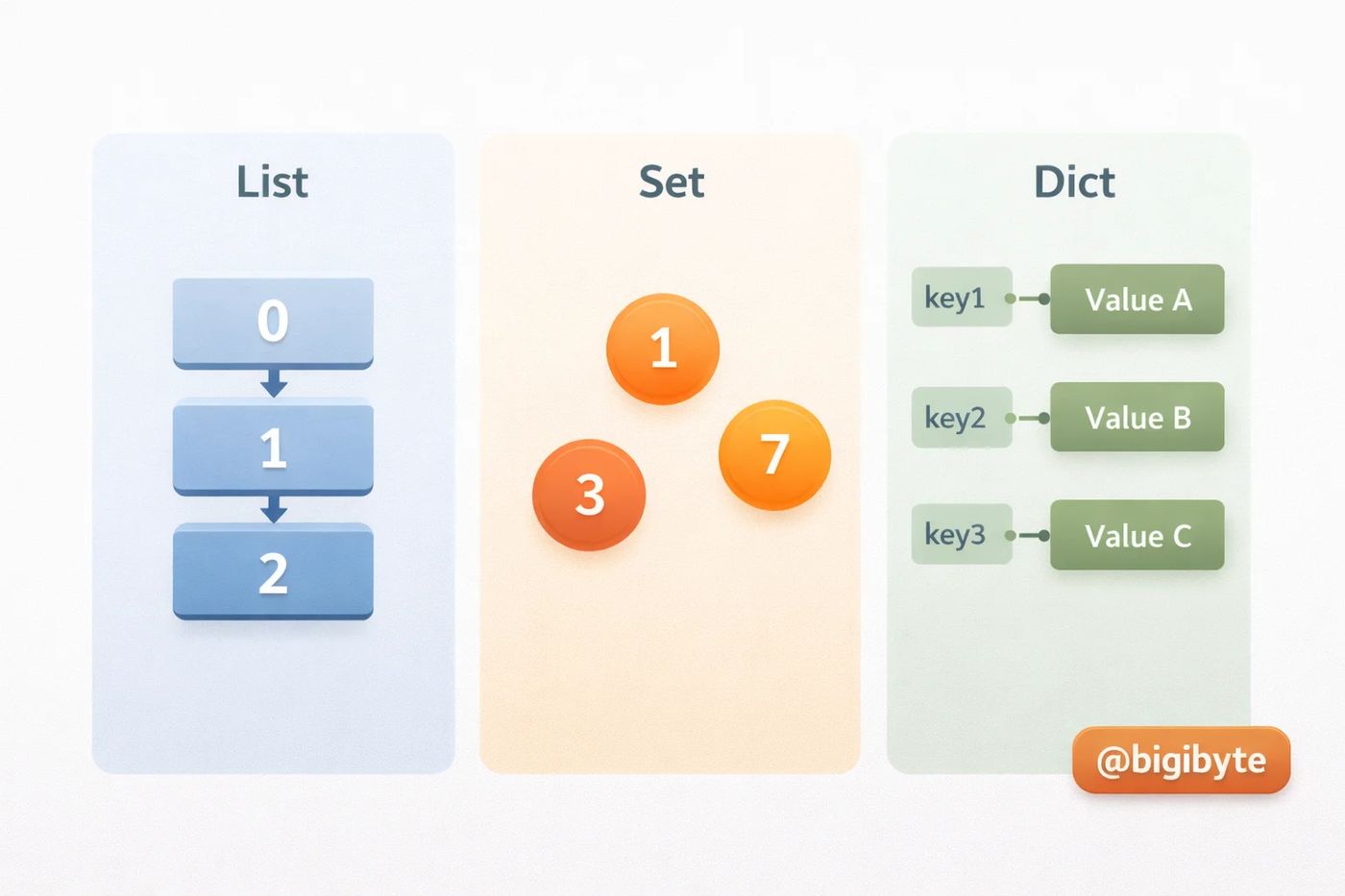
Lists & Tuples
# 12. List Slicing
nums = [0, 1, 2, 3, 4, 5]
nums[1:4]   # [1, 2, 3]
nums[:3]    # [0, 1, 2]
nums[-1]    # 5 (Last item)
nums[::-1]  # [5, 4, 3, 2, 1, 0] (Reversed)

# 13. Add/Remove
nums.append(6)
nums.extend([7, 8])
nums.insert(0, -1)
item = nums.pop() # Removes last item

# 14. Clearing a list
nums.clear() # []
Dictionaries (Hash Maps)
user = {"name": "Bot", "id": 1}

# 15. Safe get (Default value)
email = user.get("email", "N/A")

# 16. Merge dicts (Python 3.9+)
merged = dict1 | dict2

# 17. Dictionary Comprehension
squared_dict = {x: x**2 for x in range(5)} # {0:0, 1:1, ...}

# 18. Iterate Keys & Values
for k, v in user.items():
    print(f"{k}: {v}")

# 19. Set Default
user.setdefault("role", "guest") # Sets if missing, else does nothing
Sets (Unique)
# 20. Remove duplicates from list
unique_items = list(set([1, 2, 2, 3])) # [1, 2, 3]

# 21. Set Operations
a = {1, 2, 3}
b = {3, 4, 5}
union = a | b          # {1, 2, 3, 4, 5}
intersection = a & b   # {3}
diff = a - b           # {1, 2}
symmetric_diff = a ^ b # {1, 2, 4, 5}
3. Advanced Collections
collections Module
from collections import Counter, defaultdict, namedtuple

# 22. Count items
colors = ["red", "blue", "red", "green"]
counts = Counter(colors)
# Counter({'red': 2, 'blue': 1, 'green': 1})
print(counts.most_common(1)) # [('red', 2)]

# 23. DefaultDict (No Key Errors)
d = defaultdict(int)
d["missing_key"] += 1 # Auto-initializes to 0, then adds 1

# 24. Named Tuple (Lightweight Class)
Point = namedtuple("Point", ["x", "y"])
p = Point(10, 20)
print(p.x) # 10
4. String Mastery
Formatting
# 25. F-Strings (Python 3.6+)
name, age = "Alice", 30
print(f"{name} is {age} years old.")

# 26. Number formatting
pi = 3.14159
print(f"{pi:.2f}") # "3.14"
print(f"{1000:,}") # "1,000"

# 27. Join List
parts = ["py", "is", "fun"]
joined = " ".join(parts)
Regex & Checking
import re

# 28. Simple Regex Match
text = "Email is test@example.com"
match = re.search(r"[\w\.-]+@[\w\.-]+", text)
if match: print(match.group())

# 29. Check Prefix/Suffix
filename = "script.py"
is_python = filename.endswith((".py", ".pyw"))
is_config = filename.startswith("config")
5. Date & Time
Handling Time
from datetime import datetime, timedelta

# 30. Current time
now = datetime.now()

# 31. Formatting (String from Time)
s = now.strftime("%Y-%m-%d %H:%M:%S")

# 32. Parsing (Time from String)
dt = datetime.strptime("2025-01-01", "%Y-%m-%d")

# 33. Date Math
tomorrow = now + timedelta(days=1)
one_week_ago = now - timedelta(weeks=1)
6. File I/O & JSON
Reading & Writing
# 34. Read File
with open("data.txt", "r", encoding="utf-8") as f:
    text = f.read()

# 35. Write File
with open("out.txt", "w") as f:
    f.write("Hello")

# 36. Read Lines to List
with open("data.txt") as f:
    lines = [line.strip() for line in f]

# 37. Check if file exists
import os
exists = os.path.exists("data.txt")
JSON & CSV
import json
import csv

# 38. JSON Dump/Load
data = {"key": "value"}
with open("data.json", "w") as f:
    json.dump(data, f, indent=4)

with open("data.json", "r") as f:
    loaded = json.load(f)

# 39. CSV Reading
with open("data.csv") as f:
    reader = csv.DictReader(f)
    for row in reader:
        print(row['col_name'])
7. Advanced Python
Functional Tools
# 40. Lambda
add = lambda x, y: x + y

# 41. Map
nums = [1, 2, 3]
doubled = list(map(lambda x: x*2, nums))

# 42. Filter
evens = list(filter(lambda x: x%2==0, nums))

# 43. Any / All
if any(x > 10 for x in nums):
    print("Found one!")
Generators & Yield
# 44. Generator Function
def my_gen():
    yield 1
    yield 2

# 45. Generator Expression (Memory Efficient)
gen = (x**2 for x in range(1000000))
# Doesn't build list in memory
Decorators & Context Managers
# 46. Custom Decorator
def log_execution(func):
    def wrapper(*args, **kwargs):
        print(f"Running {func.__name__}")
        return func(*args, **kwargs)
    return wrapper

# 47. Custom Context Manager
from contextlib import contextmanager

@contextmanager
def my_context():
    print("Enter")
    yield
    print("Exit")

with my_context():
    print("Inside")
8. Automation Snippets
System & Web
import os
import shutil
import requests

# 48. Run Shell Command
os.system("echo Hello")

# 49. Walk Directory
files = [f for f in os.listdir(".") if f.endswith(".txt")]

# 50. Download File
res = requests.get("https://example.com/img.jpg")
with open("img.jpg", "wb") as f:
    f.write(res.content)

# 51. Environment Variables
api_key = os.environ.get("API_KEY")
9. Data Science Quickies
Pandas & NumPy
import pandas as pd
import numpy as np

# 52. Create DataFrame
df = pd.DataFrame({"A": [1, 2], "B": [3, 4]})

# 53. Filter DataFrame
subset = df[df["A"] > 1]

# 54. GroupBy
df.groupby("Category").mean()

# 55. NumPy Array
arr = np.array([1, 2, 3])
print(arr.mean())

# 56. Save to CSV
df.to_csv("data.csv", index=False)
Frequently asked questions
Why use List Comprehension?
It's faster and more readable than standard for-loops for creating new lists.
What is the difference between 'is' and '=='?
'==' checks for value equality (do they look the same?). 'is' checks for reference equality (are they the exact same object in memory?).
Python 2 vs Python 3?
Python 2 is dead (EOL 2020). Always use Python 3.10+ for modern features like match/case and better error messages.

MD KawsarFounder & CEO of BigiByte. Fiverr Pro and Upwork Top Rated developer who has extracted 15M+ lines of data for clients.

 MD Kawsar· September 26, 2026 · 10 min read