Introduction
Building AI applications often requires feeding them high-quality data from the web. However, traditional web scraping tools output messy HTML that confuses Language Models (LLMs).
Enter Firecrawl: a developer-first tool designed to turn any website into clean, LLM-ready markdown or structured data with a single API call.
Why Firecrawl?
It handles dynamic content (JS), caching, rate limits, and proxies automatically, giving you clean Markdown that feeds perfectly into RAG pipelines.
What is Firecrawl?
Firecrawl is an API service that simplifies the process of gathering data from the web. Unlike traditional scrapers that require you to parse DOM elements, Firecrawl does the heavy lifting of rendering pages and converting them into formats that AI agents and LLMs can understand easily.
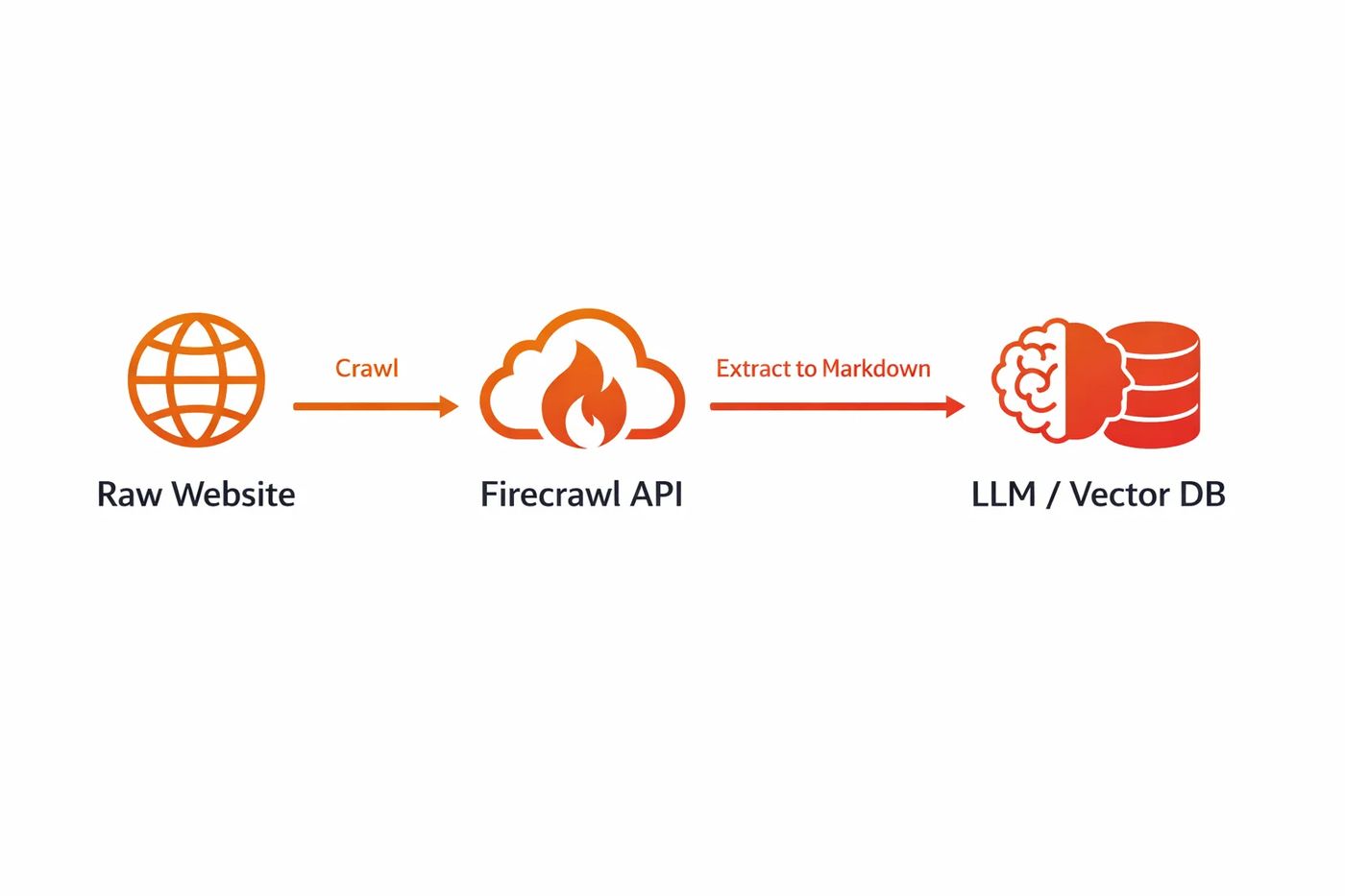
Diagram: From URL to LLM-Ready Markdown
Core Features
Scrape
Turn any single URL into clean data (Markdown, HTML, or Screenshot).
Crawl
Crawl user-specified subpages or entire websites to gather comprehensive data.
Map
Get a list of all URLs on a website to understand its structure instantly.
Search
Perform web searches and extract content from the top results efficiently.
Installation & Setup
Firecrawl offers SDKs for both Python and Node.js. First, sign up at firecrawl.dev to get your API key.
pip install firecrawl-pynpm install @mendable/firecrawl-jsUsage Guide
1. Scraping a Single Page
from firecrawl import FirecrawlApp

app = FirecrawlApp(api_key="YOUR_API_KEY")

# Scrape a website and get Markdown
response = app.scrape_url(
    'https://docs.firecrawl.dev',
    params={'formats': ['markdown']}
)

print(response['markdown'])
2. Crawling an Entire Site
# Crawl a website with a limit
status = app.crawl_url(
    'https://docs.firecrawl.dev',
    params={
        'limit': 100,
        'scrapeOptions': {'formats': ['markdown']}
    }
)

print(status['jobId'])
Use Cases
AI Platforms & RAG
Feed your Vector Database (e.g., Pinecone, Weaviate) with clean documentation and knowledge base data to build accurate Chatbots and RAG systems.
Sales Lead Enrichment
Enrich your CRM (HubSpot, Salesforce) by scraping company websites to find contact info, technologies used, and product details.
SEO Analysis
Map entire competitor websites to analyze their silo structure, keywords, and content strategy at scale.
Frequently asked questions
Is Firecrawl free?
Firecrawl works on a credit system with a free tier for developers to get started. Paid plans offering higher rate limits and more credits are available for production use.
Can it handle JavaScript?
Yes! Firecrawl renders JavaScript-heavy websites automatically, so you don't need to worry about waiting for content to load.
What output formats are supported?
The primary output designed for LLMs is Markdown, but it also supports HTML, raw text, structured JSON (via extraction), and screenshots.

 MD Kawsar· January 18, 2026 · 11 min read